Foxit PDF Editor in the ProZone can connect directly to your firm's document management system, letting you open and save PDFs without leaving the application. This article walks through how to add a connected service such as NetDocuments, Worldox, or iManage from inside Foxit.
Add a Place
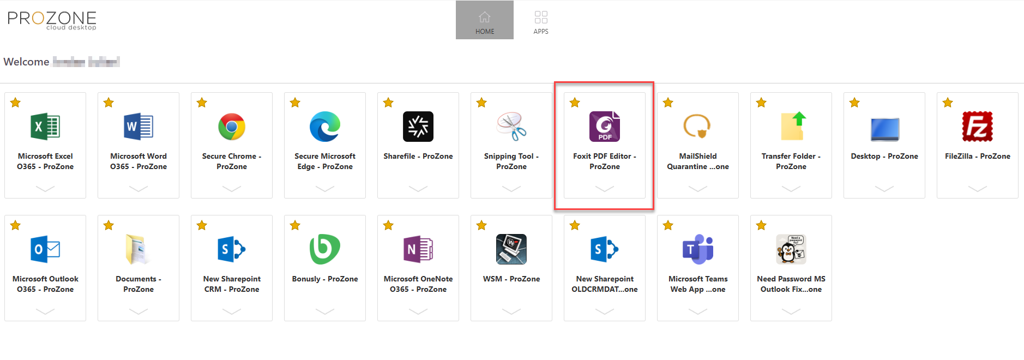
Step 1: Open Foxit PDF Editor - ProZone
Launch the Foxit PDF Editor - ProZone application from the ProZone Desktop.
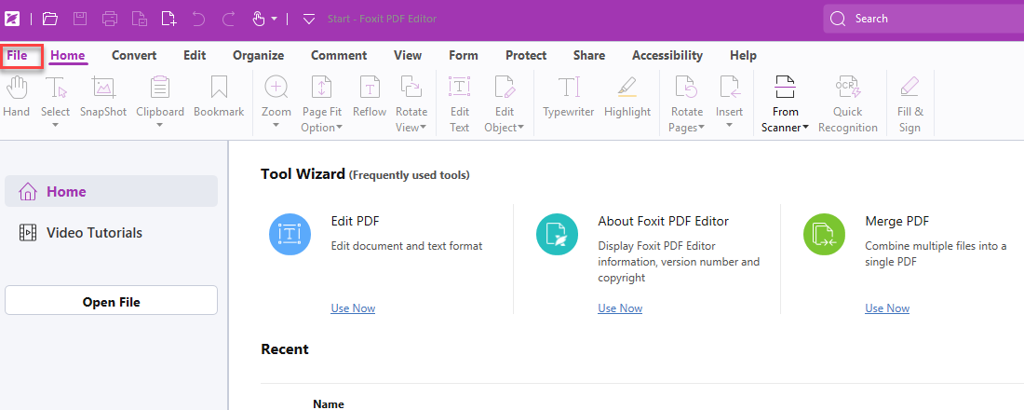
Step 2: Open the File Menu
Select File in the top left corner of the application.
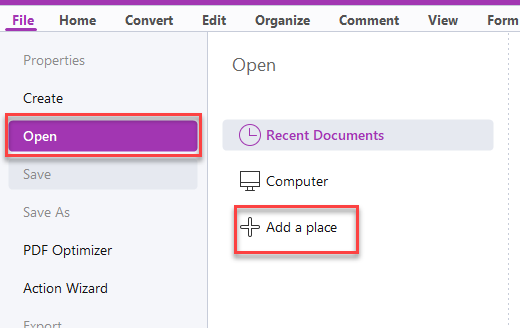
Step 3: Add a Place
Select Open, then click + Add a place.
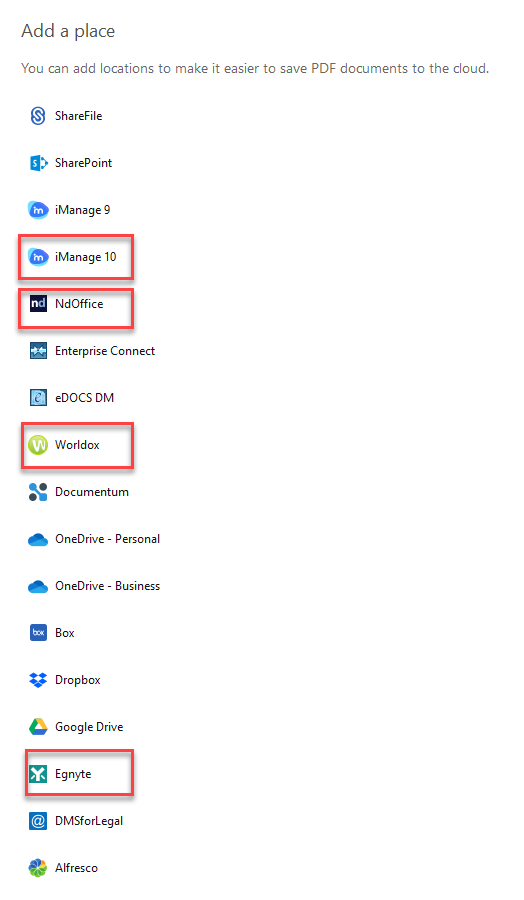
Step 4: Choose Your Document Management System and Sign In
Select your firm's document management system from the list, then sign in as you typically would. Once signed in, the service will be available from Foxit's Open and Save dialogs.
Tip: If your document management system isn't listed or you run into trouble signing in, contact ProCirrus Support for help connecting Foxit to your firm's storage.
Was this article helpful?
That’s Great!
Thank you for your feedback
Sorry! We couldn't be helpful
Thank you for your feedback
Feedback sent
We appreciate your effort and will try to fix the article